Visualistan: Creativity -->

    Social Items


YouTube has some new tools for creators on its platform, including generative AI features, a video editing app, an automatic dubbing option, and more - all to make content creation easier and more dynamic.


YouTube’s first generative AI feature ‘Dream Screen’ has been designed to generate image or video backgrounds that creators can add into their YouTube Shorts using basic text prompts. Another AI integration is an ideas generator that, as the name suggests, will provide creators with ideas based on simple prompts, by highlighting videos relevant to what they are looking for. Additionally, it will provide prompts on thematic content, as well as full-fledged content outlines.


However, one thing to note is that the ideas generator will provide recommendations based on existing or trending content, which is why the generated ideas may not seem unique as such. Regardless, the functionality could help creators design content that aligns with ongoing trends.  


YouTube Announces New Elements to Make Content Creation Easy, Including Generative AI Tools and a Video Editing App


Google announced in this year’s ISTELive Edtech conference that it has partnered with Adobe on providing a licensed Adobe Express program across Chromebooks. The aim of this launch is to provide schools with easy access to Adobe Express so they can distribute the platform to students, hence encouraging and promoting creation of more immersive and innovative projects and experiments.


Google Launches Direct Access to Adobe Express across Students’ Chromebooks


Microsoft is making its AI-powered graphic designing app ‘Designer’ a part of its Edge browser, where it can be used to design social media posts. The app is also being updated with new creative features.


Designer’s AI-powered creative tools can work to help users produce creative social media posts on Edge - you could think of it as an AI version of Canva. The app, like other AI-powered tools, is capable of producing images from text prompts. Once it generates the results, it can then work with them on different projects like invitation cards, greeting cards, pamphlets, social media posts, etc.


Users will be able to access Designer from Edge’s sidebar and create social media projects to post on platforms in the same window. This will make the process simpler by removing the need to download extensions.

Microsoft is Bringing Designer to Edge to Assist Users in their Social Media Projects


To celebrate innovative and creative people on its platform, TikTok has released a ‘Discover List’ of 50 “game changing” content creators that have contributed to community work or other positive impacts in 2022. “They entertain, shine light on important topics, educate, and inspire,” says TikTok about these creators.


Each creator’s special contribution is determined by a category. There are five categories in total and each represents ten creators. The categories are: Changemakers, Foodies, Icons, Innovators, and Originators.


Creators highlighted in the Discover List will be displayed on brand channels on TikTok, while a special digital booklet is also dedicated to them, containing their description and overview of their work.

TikTok Reveals Meaningful Contribution of Creators on its App Via ‘Discover List 2022’


YouTube has been experimenting with ways to provide monetization abilities for content creators via Shorts, since the short-form video feature has started gaining more popularity on the platform. The latest Shorts monetization option is being tested in the US to offer commission to selected creators from tagging and selling products within their Shorts videos. The ability to view the tags and make purchases will be available to viewers in the US, India, Brazil, Canada and Australia.


About the functionality, YouTube explains that “YouTube, the merchant, and the creator all take an undisclosed cut of the sale.” In addition to that, YouTube’s latest ad program also offers creators the opportunity to generate revenue from ads displayed in between Shorts clips.

YouTube Tests a New Shorts Monetization Option and Allows Adding Up to 60s of Music to Shorts


Pinterest launched an individual app ‘Shuffles’ for creating collages in August of 2022. The app has since been available to selected users, but is now being released to everyone.


Via the app, users can make artistic displays using creative tools such as overlays, animation effects, music, etc., and then share the results with other users in the app, as well as on Pinterest to boost discovery.

Pinterest's New Creative App ‘Shuffles’ is Now Available to Everyone


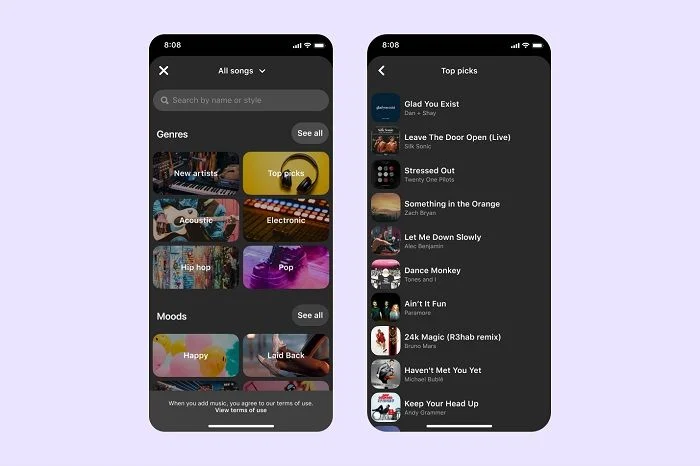
After successful music integration in Reels and Stories, Instagram is now bringing the option to add music to still images in the main Feed. “No matter which format works best to tell your story, you can now add a soundtrack to your favorite photo moments to bring them to life,” says Instagram.


An ‘add music’ option will appear in the post composing process, that you can select to search for a track that you want to add to your post. However, music track access in this functionality will be limited, as Meta only offers licensed tracks from its sound collection. The chosen track can be between 5 to 90 seconds long to add to the post.

Instagram is Bringing ‘Add Music’ Option to Still Posts in Main Feed


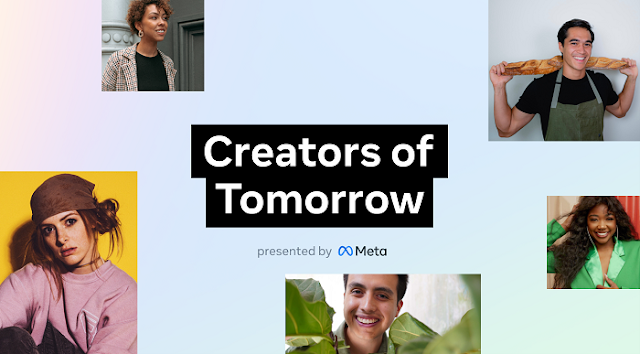
As part of Meta's new initiative dedicated to help creators be recognized for their work, Creator Week, the company has launched a new program for emerging creators called ‘Creators of Tomorrow.’  As per Meta, the program aims to celebrate creators’ endeavours for communities, culture, connection, and inclusivity.


The program will be functional in the US, where a total of 25 creators across 5 content categories will be selected. The categories are: Redefining Community, #NoFilter Empowerment, Creative Excellence, On the Rise, and Future-Ready.

Meta Kicks Off New ‘Creators of Tomorrow’ Program in US


Snapchat shared a preview of a new feature Director Mode at its latest Partner Summit, which it is now rolling out to iOS users. Director Mode is Snapchat’s advanced video creation toolkit that offers editing tools like green screen, variable playback speed options, as well as dual camera controls, along with other improved editing options.


Snapchat is Providing Advanced Editing Tools for Content Creation Via New ‘Director Mode’


Pinterest has introduced a new creativity tool for Pin creation that enables users to add music to their Idea Pins, hence making them more interesting and engaging.


Pinterest revealed that it has partnered with Warner Music Group Warner Chappell Music, Merlin, and BMG to develop the functionality and give Pinners the opportunity to explore and add trendy music tracks from popular artists to their Idea Pins.

Pinterest Enables Users to Add Music to Idea Pins


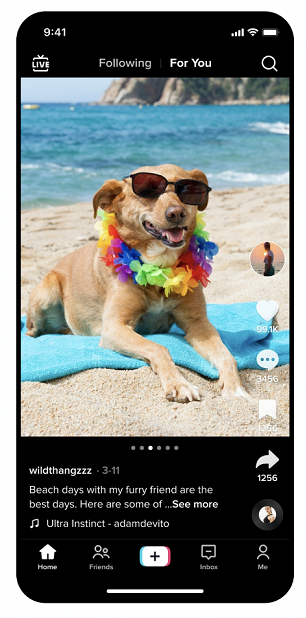
TikTok has introduced a major feature to its platform, called Photo Mode, which means that users will now be able to share still images in the app, in addition to videos.


The layout of the feature resembles Instagram’s photo feature, including the carousel display, which makes it seem like TikTok has “stolen” Instagram’s unique functionality in return for the rival app copying its short-form video functionality.


One element, however, that makes TikTok’s Photo Mode distinct is the option of adding music to the images. There’s also a set of creative tools that users can use to enhance their photos before posting them.

TikTok Creators Can Now Post Carousel Photos and Add Longer Video Captions


To help brands maximize reach to their audiences during the holiday shopping season, Instagram has introduced an updated overview of how to use Reels for promoting content and engaging with people. These include small, helpful tips and pointers, as well as detailed insights and notes.


Calling it the “future of video storytelling,” Instagram encourages brands to use Reels to engage with audiences using the creativity of storytelling, entertainment, and personal connection.


Starting off with pointers on where your content will and won’t be impacted by on-screen display overlays, Instagram suggests that you utilize the full screen format appropriately so as to provide a more immersive experience to your audience. The guide has highlighted areas on the screen termed as “safe zones,” where video content appears clearly.


Instagram Shares Useful Reels Insights for Brands to Maximize Reach During Holiday Shopping


Instagram has been testing a new in-app feature called Media Kit, which it has now taken  to the next stage of testing and re-named as Creator Portfolio.


The feature is aimed at providing a separate platform for creators to showcase their talent and content, that they can directly share with brands and business partners in the app, hence enhancing content discovery and making way for more marketing opportunities.


App researcher Alessandro Paluzzi spotted the latest prototype of the feature, which shows a welcome screen and an overview of the functionality.

Instagram's New Creator-Focused Tool ‘Creator Portfolio’ Jumps to the Next Stage of Testing


Over time, AI technology has developed in new, efficient ways and among a variety of its forms, AI art has recently become popular. Creators including artists have used the technology to generate unique digital art pieces.


Of course Meta being a leading digital technology-driven company decided to take AI art to the next level. As part of its Generative AI research, Meta has launched a new AI system that uses machine learning to generate high-quality videos from text prompts, as claimed by the company.


Meta Experiments with New AI Video Technology ‘Make-A-Video’ to Create Digital Art


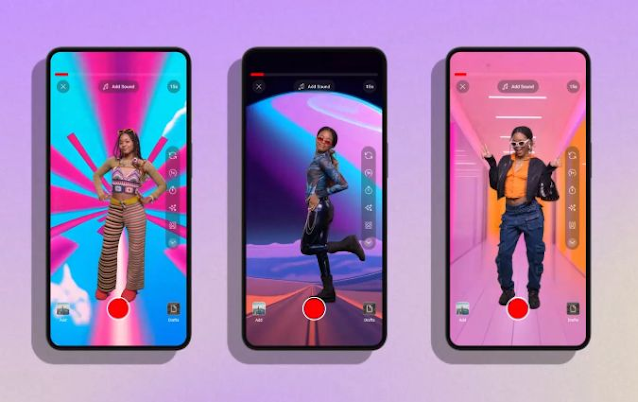
Creators on YouTube will now be able to add voiceovers to their Shorts clips, confirms YouTube. The tool will provide an opportunity to add more expression to content posted as Shorts. Voiceovers could be used to read out instructions, provide context or explanations about videos, or even verbalize reactions and funny comments.


The new voiceover button will be accessible within Shorts in the bottom right of the camera screen. To add the audio, you need to move the vertical white line on the video filmstrip to the spot where you want to start your voiceover. Next, by tapping the record button, you can start recording and tap it again to stop recording. Another alternative is pressing down the record button while recording and letting it go to stop recording. The audios can also be deleted and restarted. Moreover, you can adjust audio levels across music tracks, the video’s original audio, and your voiceover.

YouTube is Rolling Out a New Voiceover Tool for Shorts


Since Shorts on YouTube has become a popular content creation and engagement tool, the company has published a new detailed guide explaining how creators can utilize Shorts in the most efficient ways.


The overview covers the basic elements of Shorts, starting from ‘how to use the Shorts camera,’ which apart from explaining the primary steps, also suggests users to avoid using clips with watermarks or logos from other platforms.


Then follow the more advanced editing and creation techniques, like how to drag recorded videos from the camera roll to Shorts clips. This also includes the ‘Draft’ technique, using which creators can save their work in progress and make additional changes to it later.

YouTube Shares a Detailed Overview of how to Maximize Content Performance on Shorts


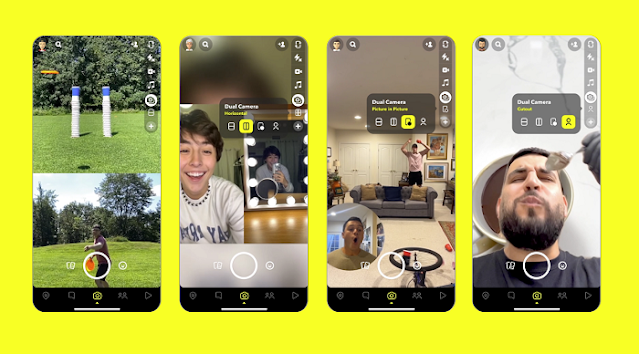
Snapchat has released a new Dual Camera option, which it has imitated from the French social media app BeReal.


The Dual Camera functionality allows for recording videos or taking photos that are captured by the front and back-facing cameras at the same time. It supports several output formats including vertical, horizontal, picture-in-picture, and cut-out.


While Instagram also developed its own version of the feature, Snapchat’s primary intention behind the launch is to provide users with more creative opportunities and trends. The company originally previewed the option as a part of its Director Mode, which contains more advanced editing tools for creative purposes.

Snapchat Rolls Out a Dual Camera Functionality


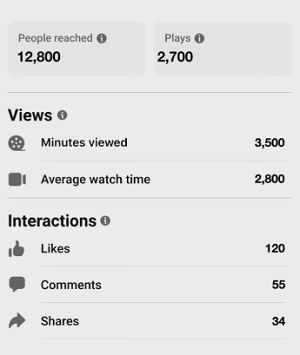
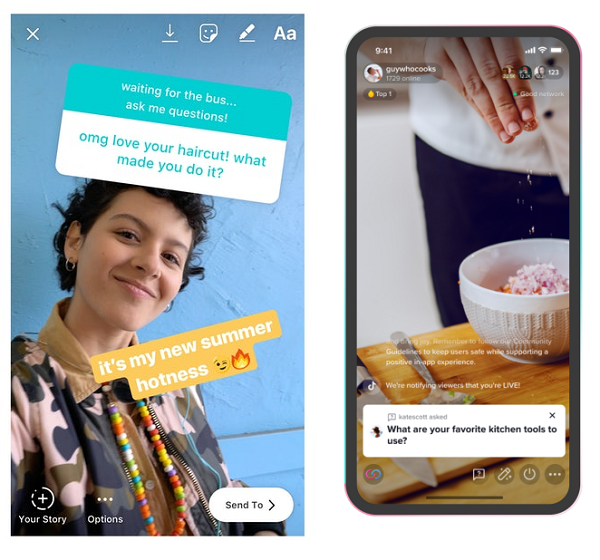
Meta is continuing to make efforts to improve its short form video feature, Reels, on both Instagram and Facebook. Recently, the company has announced new Reels updates, which include new insight options, an Add Yours sticker, an Auto-Create tool, and expansion of the Stars donation option.


Meta has introduced new performance insights for Reels on Creator Studio. The insights include Reach, Minutes Viewed, and Average Watch Time. This could assist the process of understanding for creators how their content is performing, what elements in it are working, and what needs to be changed.


The Add Yours sticker is not itself a new feature on Meta’s platforms, as we have been seeing it on Stories. However, it is the first time that Meta has introduced it to Reels, which means that users can now post Add Yours questions via Reels clips and also view the responses to the questions.


Meta Announces New Reels Updates Including New Performance Insight, Auto-Create, and More


YouTube has released new updates, especially for creators on the platform. These include a new sticker for Shorts clips, an expansion of the Google Maps display link, new insights into recommended content, and an edit option for channel name, banner, avatar and description on mobile.


The Shorts sticker is an apt engagement tool, using which creators can reply to comments on their Shorts video, hence prompting engagement with the videos.


In December last year, YouTube launched the Maps display option within video description, so as to provide viewers with better location context, such as for restaurants and cafes. The option has now been updated to include links for travel, recreational and businesses as well.

YouTube’s Latest Updates Include Shorts Sticker, Insight Tool, Expanded Maps Display Link, and More


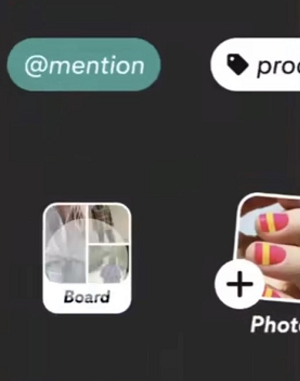
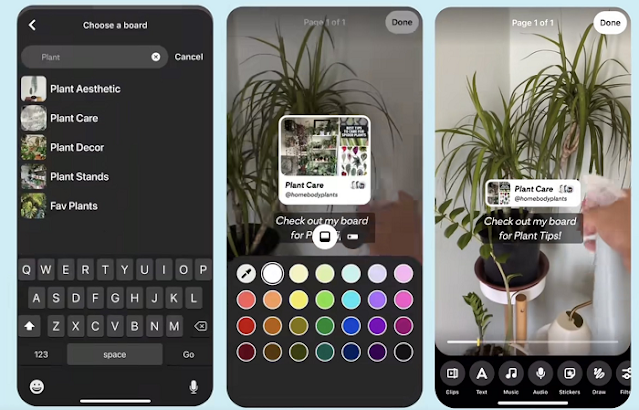
Pinterest has introduced a new feature called Board Sticker that helps drive traffic from Idea Pins. The company is currently testing the feature with a limited number of users.


With Board Sticker, you could highlight a specific Pinterest board via your Idea Pins. The option will enable selecting a board from existing boards, as well as various display formats.


The sticker will eventually lead other users to your dedicated topic board, which in turn would make more of your Pin content stand out, hence driving more referral traffic from those links.

Pinterest is Testing a New ‘Board Sticker’ Feature

Subscribe Our Newsletter