Visualistan: Laptop -->

    Social Items

New Innovations In Laptops We Can Expect To See Soon

Laptops are improving every year and so much so that a laptop from 10 years ago now seems prehistoric. Additionally, people are turning to laptops more and more due to the flexibility that they can provide, which is key in a time where many people are working remotely and may need to be able to work in different places. So, what innovations can we expect looking ahead to the next few years? There are a number of innovations and trends that are likely to emerge in the laptop market, so read on to find out what a few of these might be.


Dual-Screens


One trend that is gathering pace right now and could play a major role in the years to come is dual-screens. In a time where many people are using their devices for multiple purposes, dual-screens could be immensely helpful, particularly when it comes to working. Many brands have been struggling when it comes to design, but there are dual-screens that are starting to appear that appear to have cracked the code and eliminate the need for a virtual keyboard (something that is not ideal with laptops).

New Innovations In Laptops We Can Expect To See Soon


Apple has officially released macOS Big Sur, the latest version of macOS. It is a major update of Apple’s desktop and laptop software and features a variety of new additions and improvements, including a top-to-bottom redesign of the interface, icons and menu bar, a new control center UI and widgets. 


The macOS Big Sur is also known as macOS 11.0 and is available for download for all compatible Mac devices.  


The macOS Big Sur also includes new privacy focused features like better tracking information in Safari and new privacy data in the Mac App Store for apps that you download.  

Apple has Released the New macOS: Big Sur

Windows 10X was first introduced by Microsoft in October last year during the Surface event and according to the company, the OS was designed as software for dual-screen devices. Now Microsoft has revealed that Windows 10X would be launched for single-screen devices initially. 


It also seems like some of the modular OS key features will be added to devices sooner, as earlier Microsoft had planned to introduce some of Windows 10X features to Windows 10. 


Microsoft's newest features for Windows 10 Build 20185 include a new, redesigned panel that will let users insert and search for emojis, GIFs, and clipboard content. 

Windows 10 is Reportedly Getting New and Better Updates

How Much is Too Much Screen Time?
Kids are at home a lot more and most likely on their devices more during this time of social distancing. It’s good to still put limits on screen time and know the difference between high and low-quality media usage. Here are some helpful guidelines to follow in regards to screen time. Have a look below!

How Much is Too Much Screen Time? #Infographic

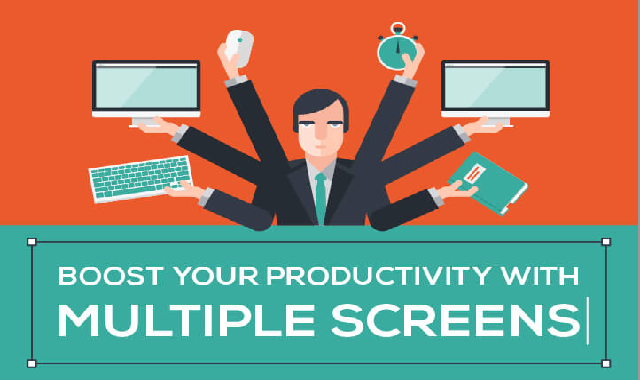
Increase efficiency by using multiple screens at a time
Multiple Screens helps in increasing your Productivity. According to researches, the size of the screen does not affect your productivity. It takes only 1.5 seconds to change multiple documents already open on the computer. It doesn’t sound much, but when you calculate, you already have spent lots of hours in a week by just switching between one document and another. What if you don’t have to switch at all? What if all the records were open on the same sight and at the same time?

How can you boost your productivity by using multiple screens:

Switching between tabs and windows doesn’t take a lot of time; it just takes a second, but if you try to calculate the time spent each day, month, and year, it will be a lot more, and surely there is a more efficient way to work.

Increase efficiency by using multiple screens at a time #infographic

The Rise Of Second Screen Viewing Statistics And Trends
Is the average consumer’s attention span becoming shorter with each passing day, or is it becoming more fragmented? According to Go-Globe, 70% of adults use a second screen while watching TV and smartphone is the most popular second screen (51%), followed by laptop (44%) and desktop (29%). As a matter of fact, Streaming Media Global describes second screen as the next big thing in the digital world and even the most conservative marketers are beginning to take note. We are now witnessing a definitive pendulum shift away from the way people used to watch television in the past.

The Rise Of Second Screen Viewing Statistics And Trends #Infographic

Why You Should Cover Up Your Laptop's Webcam
It's one of the most low-tech cyber security solutions around, but a surprising number of experts agree that covering your laptop webcam is one of the best ways to protect your privacy.

Why You Should Cover Up Your Laptop's Webcam #Video

How to Protect Your Laptop from Damage and Disaster
You spent a good deal of money on your laptop and you most likely have some incredibly important information on it, so why would you run the risk of damaging it through sheer carelessness? Think twice the next time you decide to carry it one-handed or use it while drinking a cup of coffee.

How to Protect Your Laptop from Damage and Disaster #Infographic

Parts of a Laptop That Can Be Easily Recycled or Used as Spares
In this innovative world, day to day technology creating new ways to achieve heights, with IT recycling services, discarding broken, undesirable or obsolete computers and laptops in an eco-friendly way has turned out to be a great deal for environment. If your laptops life ends then you can dump it to recycling, sell it or give it to anyone. If you love environment and don’t want to increase E-waste then choose a trusted recycling service provider company like Ecogreen IT Recycling or any official government organization closer to your area. Choosing certified recycling company ensures proper destruction of your data before recycling.

Parts of a Laptop That Can Be Easily Recycled or Used as Spares #Infographic

Subscribe Our Newsletter