Visualistan: WordPress -->

    Social Items


WordPress has launched support for ActivityPub on its platform after acquiring ActivityPub as a WordPress plug-in last year.


ActivityPub allows for cross-platform interactions, also called as ‘fediverse,’ where networks of websites or servers can communicate with each other while functioning independently. 


In other words, users on one platform can engage with content on other platforms without making a new account. “t’s much like email; you can send emails to users with accounts on different services (like Gmail, Yahoo, etc.), yet all of them can interact seamlessly,” explains WordPress.

WordPress Announces a New Engagement Feature: An ActivityPub Integration

How to Pick the Best WordPress Hosting

The pandemic has cut down on all of the world's travel and trade shows, so now is the perfect time to get your website up and running or better than ever.  Digital media is the new real estate.  Google itself says that speed is incredibly important and you should aim to have your website load in under 3 seconds.  While there are lots of different options out there in terms of content management systems, WordPress is one of the most popular ones? Why? Many people are happy with WordPress as their content management system of choice given the ease of use and simplicity it offers you in publishing.  That said, there are so many different options when it comes to hosting. 

How to Pick the Best WordPress Hosting #Infographic

The correct way to use WordPress and its services

It is no news that WordPress has gained immense popularity over the years because of its easy interface. In today’s world, anything that saves time and gets the work done easily is considered to be of great importance. Similarly, this infographic reflects upon all the right ways through which a user can easily understand and work on the different levels of WordPress.

The correct way to use WordPress and its services #infographic


Choosing the best WordPress hosting in 2020

If you are looking to start a website of your own, then bear in mind that web hosting is one of the main components of a successful website. WordPress is an excellent website-building tool. It helps boost the website’s SEO and increase sales. However, if you are not choosing the right web hosting, then all of that stuff will go down the drain.

Choosing the best WordPress hosting in 2020 #infographic

The WordPress app for iOS helps users build and manage a website for free from their iOS devices. WordPress is now accusing Apple of cutting off the ability to update the app, as Apple is demanding its 30% cut of the in-app purchases. 


The founding developer of WordPress, Matt Wullenweg, informed users on Twitter the reason why their iOS app of WordPress was not being updated.


The problem is that the WordPress app does not even sell anything as every functionality on the app is for free. WordPress simply assigns users a free WordPress domain name and 3GB of space, so users don't even have the option of 'buying' a unique dot-com or dot-blog domain name. 


Apple justified its demand with its in-app purchases policy, saying that in-app purchases are required whenever apps “allow users to access content, subscriptions, or features they have acquired in your app on other platforms or your web site.”. The reasoning still doesn't quite make sense in case of WordPress as its app doesn't sell anything itself and doesn't even offer anything special with what users might have purchased from the WordPress website.


Apple Forced WordPress Founding Developer to Monetize the Free iOS App

Drupal vs. WordPress: Which one to choose

In today’s day and age, it is not easy to escape the reality of technology and what it has done for mankind. Several uncountable tasks can be done quickly with the use of appropriate technology. One such task is the building of a website. Developing a new site is made easy with the new CMS (Content Management Systems tools such as Drupal and WordPress. Today, we will be comparing the two to see which one would be better for your business in 2020.

Choosing a CMS is very essential because it can either make or break the outcome of your final website. Both Drupal and WordPress are comprehensive, respectively. However, there are differences in both that can weigh on your website. To understand what CMS would be better for you, you need a brief about both of them.

Drupal vs. WordPress: Which one to choose? #infographic

Why Should You Choose WordPress as a CMS

Apart from the backend's simplicity, boundless topic options, simple set-up, responsiveness, fast eCommerce update, and SEO-friendliness that comes with the CMS, there are plenty of WordPress hidden features that the vast majority of us have no idea about.

The CMS is fast, stable, pingomatic allowed to overhaul a website and supports a large number of API keys. In addition, there are a ton of plugins in the website building platform that make it progressively productive. There is also a massive WordPress network, which is slowly making it trustworthy for a non-geek.

Why Should You Choose WordPress as a CMS #infographic

100 + WordPress Statistics (The Complete Picture) – 2020

Of course WordPress is the most popular blogging platform out there. Since beginning its journey in 2003, WordPress is now the webmasters ' favorite alternative to build any kind of Website.  While other builders like Wix are gaining popularity rapidly, WordPress is still the best website builder out there, and shows no signs of slowing down.

It has the power to give you complete control over your website, and with the aid of numerous eCommerce Plugins, you can even create a fully blown online store. We've developed an overview of all the WordPress Statistics you need to learn in this article.  Stats relating to the following categories can be found.

100 + WordPress Statistics (The Complete Picture) – 2020 #infographic

WordPress Continues To Take Over The Internet

We released an infographic about the incredible development of WordPress over two years ago. As you know, anything that happened in the tech industry two years ago is ancient history. It was time to revisit the topic, we decided. Over these two years, a lot has altered.  WordPress's dominance is not there.

To date, the most popular content management system (CMS) on the web remains WordPress. Although the internet has grown and developed around the platform, the market dominance of WordPress has stayed unchanged and unchallenged (comparatively). It's more popular than ever, if anything, with more than 60 percent of CMS market share.

Even conservative estimates are close to 64 million for the amount of websites operating WordPress. That's almost 34 percent of all internet websites. The biggest competition of the platform at this point is not other CMS, but websites that do not use a CMS.

And that gap is about to close. The market share of WordPress has grown by a whopping 38 percent over the past five years. That development also does not show any signs of stopping. Users of WordPress publish about 42 million fresh posts on a monthly basis and leave 60.5 million remarks.

WordPress Continues To Take Over The Internet #infographic

10 Reasons to Love WordPress in 2018

So many of the themes in WordPress have gained considerable fame in the web design market because it is the most preferred CMS platform on the web. Customers LOVE the themes WordPress offers for the simple fact that they are the finest in the industry and painless to set up. From Sharpely to Tyche, and Portum to Allegiant, these themes never cease to impress.

10 Reasons to Love WordPress in 2018 #infographic

5 Awesome Benefits of the Avada WordPress Theme
If you're looking for a simple, yet hugely popular WordPress theme, then you can't go wrong with Avada. This infographic covers just a few of the Avada theme's remarkable benefits, including the fact that any customizations require the minimum amount of HTML/CSS coding, all thanks to Avada's quick and easy drag-and-drop editor and visual page builder. Also, it couldn't be simpler to create unique and engaging web pages with the 60+ advanced content types that you can add to your Avada-powered site at the click of a button.

5 Awesome Benefits of the Avada WordPress Theme #Infographic

What is the Best CMS?
The right content management system can be the difference between a well-oiled content marketing platform and a slow, unresponsive website. There are plenty of options to choose from, each one offering varying degrees of usability, scalability and customization. So, what's the best CMS out there for content marketers? Let's consider the top candidates:

What is the Best CMS? #Infographic

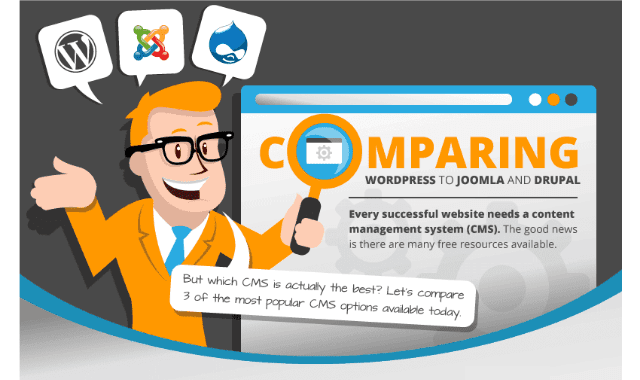
Comparing WordPress To Joomla And Drupal
Every successful website needs a content management system. The good news is there are many free resources available. But which CMS is actually the best? Let's compare 3 of the most popular CMS options available today. Here is a quick overview below!

Comparing WordPress To Joomla And Drupal #Infographic

 How to reduce your WordPress load speed under 1 second


One of the most common queries we get at WP Curve is ‘can you make my site faster?’. Website speed is important for a variety of reasons. Here are 4 key reasons:

A faster site will increase your conversions.
A faster site means Google will love you.
A faster site will provide a better experience for your customers and visitors, resulting in fewer bounces.
The speed of your site is part of your brand.

The final reason was the most important to us because we’re a WordPress support provider. In this post, I’ll run through some very specific actions you can take to speed up your website. We’ll use our site as the benchmark and demonstrate how we reduced our page load time to under 1 second. We’ll also address the common reasons for slow websites, so you can work out which ones you need to deal with in order to improve your own page speed.

How to reduce your WordPress load speed under 1 second #Infographic

WordPress Visual Design Plugins
Because visual content is so important to effective web design, you likely will want to further enhance your images. Fortunately, WordPress offers thousands of plugins with countless applications, including many that enhance images, add visual effects and allow the novice web designer to complete actions that would otherwise require additional technical knowledge.

Thousands of plugins? How, you might ask, can a novice designer know where to begin? We’ve listed 36 of our favorites below:

WordPress Visual Design Plugins #Infographic

The What, Why and How of WordPress Staging Environments
Managing a WordPress website may require frequent code tweaks in order to achieve the desired improvement we want to take place. Regardless if it's just simple tweaks to the theme or a full reband of the site, a tiny mistake while tinkering with your WordPress website's code can result in multiple glitches, especially if you make the changes directly on the live site.

To minimise the risk of breaking your website, there is one important aspect that you should know prior to making your newly developed or revamped website live-the staging site.

The What, Why and How of WordPress Staging Environments #Infographic

The Evolution Of WordPress
Today we’re going to talk about WordPress, and as anyone who has ever begun to consider creating a blog or making a website, they know this is the platform to use, hands down.

According to the WordPress website, over 409 million people view 16.3 billion pages each month on their platform. In addition, every month has users producing 61.8 million new posts and followers leaving 55.4 million comments as well.

The Evolution Of WordPress #Infographic

How to Become a Professional WordPress Developer
Being good at something takes a lot of time and perseverance, especially if that something is WordPress. With WordPress powering over 27% of websites, there can be no doubt that it offers lucrative opportunities for anyone who can explore and manipulate its nitty-gritty proficiently.

How to Become a Professional WordPress Developer #Infographic

Subscribe Our Newsletter